
How to Keep Your 67UU Account Secure: Simple Safety Guide
Keeping your 67UU account secure is important if you use the platform through a browser or mobile device. A secure account helps protect your login details, personal information, and account activity from unauthorized access.
Many account problems happen because users share passwords, click unknown links, or use the same password on several websites. The good news is that most of these risks can be reduced with a few simple habits.
This guide explains practical ways to protect your 67UU account and use the platform more safely.
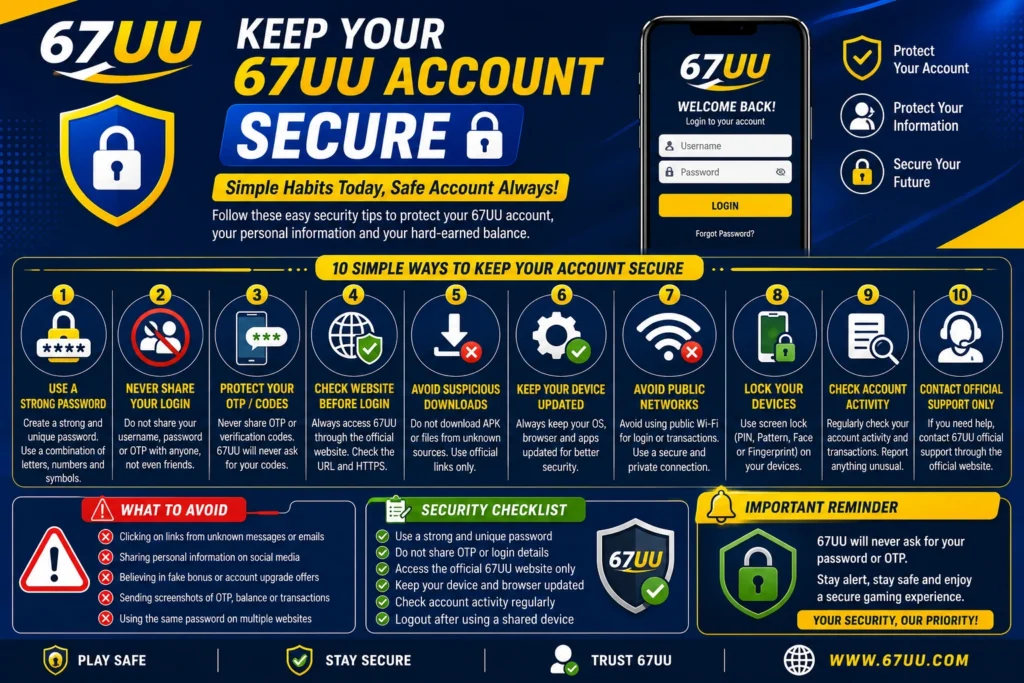
Use a Strong Password
Your password is the first layer of protection for your 67UU account. Avoid using easy details such as your name, phone number, birthday, or simple number combinations.
A good password should:
- Be difficult for others to guess
- Use a combination of letters and numbers
- Be different from passwords used on other websites
- Not be shared with friends or strangers
If you think someone knows your password, change it as soon as possible.
Never Share Your Login Details
Your account password should remain private. Do not send it to someone through WhatsApp, Facebook, Telegram, email, or other messaging services.
Be especially careful if someone claims to be a support agent and asks for your password or verification code. You should use the platform’s official support channel to verify any account-related request.
Protect Your Verification Codes
If 67UU provides OTP or other verification features, keep these codes private.
A verification code can sometimes be used to confirm an account action. Never forward a code to another person simply because they say they need it to “verify” your account.
Your password and verification codes should stay private.
Check the Website Before Logging In
Phishing websites can look similar to legitimate websites and may try to collect your login information.
Before entering your details:
- Check the website address carefully.
- Make sure the spelling of the domain is correct.
- Avoid links from unknown messages or advertisements.
- Look for a secure HTTPS connection.
- Do not enter your password on a suspicious page.
A website using HTTPS is helpful for connection security, but it does not by itself prove that a website is legitimate. Always check the domain carefully.
Avoid Suspicious Downloads
If you use the 67UU web version or an Android application, be careful about files offered by unknown websites.
Do not install an APK simply because a random page tells you that it is a “new version” or “special update.” Unofficial files can create unnecessary security risks.
Before installing an application, check its source and make sure it is the version you actually intend to use.
Keep Your Device Updated
Your phone, tablet, or computer should be kept up to date. Operating system and browser updates can include important security improvements.
Regularly check for updates to:
An updated device is generally better prepared against known security problems.
Do Not Use Your Account on Untrusted Devices
Avoid signing into your 67UU Game account on public computers or someone else’s phone whenever possible.
If you must use another device, make sure you:
- Do not save your password in the browser.
- Log out when finished.
- Do not allow the browser to remember your account.
- Avoid using public Wi-Fi for sensitive account activity when possible.
This reduces the chance of another person accessing your account later.
Check Your Account Activity
Regularly checking your account can help you notice unusual activity early.
Look for things such as:
- Unknown login activity
- Unexpected account changes
- Transactions you do not recognize
- Changes to your profile information
- Unfamiliar devices
If something does not look right, stop using the account and contact the appropriate official support channel.
Be Careful With Fake Support Messages
Scammers may contact users and pretend to represent a gaming platform. They may promise bonuses, account upgrades, special rewards, or faster transactions in exchange for personal information.
Do not trust unexpected messages simply because they contain the 67UU name or logo.
When you need help, find the support option through the official website instead of using a random contact number or link sent by another person.
Keep Your Personal Information Private
Avoid publicly sharing information connected to your account.
Do not post your:
- Password
- OTP or verification code
- Payment account details
- Private account screenshots
- Security answers
- Personal identification information
Sharing less sensitive information online can reduce unnecessary security risks.
What to Do If You Think Your Account Is Compromised
If you believe someone has accessed your account without permission, act quickly.
First, change your password if you can still access the account.
Next, check recent account activity and look for anything unfamiliar.
Then, contact the platform through its official support channel if you need assistance.
If you also use the same password elsewhere, change it on those services too. Using a unique password for every important account can limit the damage if one password becomes exposed.
A Simple 67UU Account Security Checklist
Before using your account, remember these basic rules:
- Use a strong and unique password.
- Keep your password private.
- Never share OTP or verification codes.
- Check the website address before logging in.
- Avoid unknown APK files and suspicious downloads.
- Keep your device and browser updated.
- Avoid saving passwords on shared computers.
- Check account activity regularly.
- Be careful with unexpected support messages.
- Contact official support when something looks suspicious.
FAQS:
How can I keep my 67UU account secure?
Use a strong password, protect your verification codes, avoid suspicious links, keep your device updated, and access your account only through trusted sources.
Should I share my 67UU password with customer support?
No. Your password should remain private. Never provide it to someone who contacts you unexpectedly and claims to be support.
What should I do if I forget my password?
Use the official account recovery or password-reset option provided by the platform. Avoid asking unknown individuals to recover your account for you.
How can I identify a suspicious 67UU link?
Check the domain carefully before logging in. Be cautious with links received through unexpected messages, social media accounts, or unknown websites.
Is it safe to use 67UU on a public computer?
It is better to avoid accessing sensitive accounts on public computers. If you have no alternative, do not save your password and make sure you log out completely afterward.
Final Thoughts
67UU account security does not require complicated steps. Strong passwords, private verification codes, careful browsing, secure downloads, and an updated device can provide a good foundation for safer account use.
Most importantly, never give your login information to strangers and do not trust unexpected messages simply because they use the 67UU name. A few minutes of caution can help protect your account and personal information in the long run.